ivCAMPUS

A showcase of the feature and responsive design I completed while working on the future of hybrid work

Intro

Client
ivicos GmbH
Timeline
Contiuous
Team
UX designer
Dev team (6)
Background
ivCAMPUS is the digital response to the growing number of off site/remote work that occurred 2020 due to Covid-19. The main goal of ivicos is to create a hybrid working tools for collaboration and communication, where users still feel connected as if they were still in the real office. The web app ivCAMPUS focuses on small interactions that remind users of this 'like normal' feeling like knocking on doors, sending notes, but also focuses on the need for collaborative mediums that are integrated into the tool.

All work done with ivicos is under NDA, so I am not able to fully share the deliverables or other work sensitive data. Nevertheless the content shared will prove to be informative and valuable in regards to my designs.
Project 2

Feature Designs

My Role
Ux|Ui Designer
Skills
Workshops
Wire-flows
Prototyping
Testing
Tools
Scope
To get the product MVP ready, ivCAMPUS required some feature additions, changes and modifications to really propel it to the hybrid, user-centered tool the stakeholders wanted. I was reponsible for generating ideas, designing and communicating with developers the vision the stake holders wanted and ultimately had the last say on.
Approach
1. Understand the requirements and wishes of stakeholders for a new feature.
2. Consult with devs to understand the technical limitations for the desired feature.
3. Sketch, design/prototype, and then test the result on the sandbox version of the tool.
4. Iterate and retest the designs to make sure we are meeting user needs and stakeholder requirements.

User onboarding  

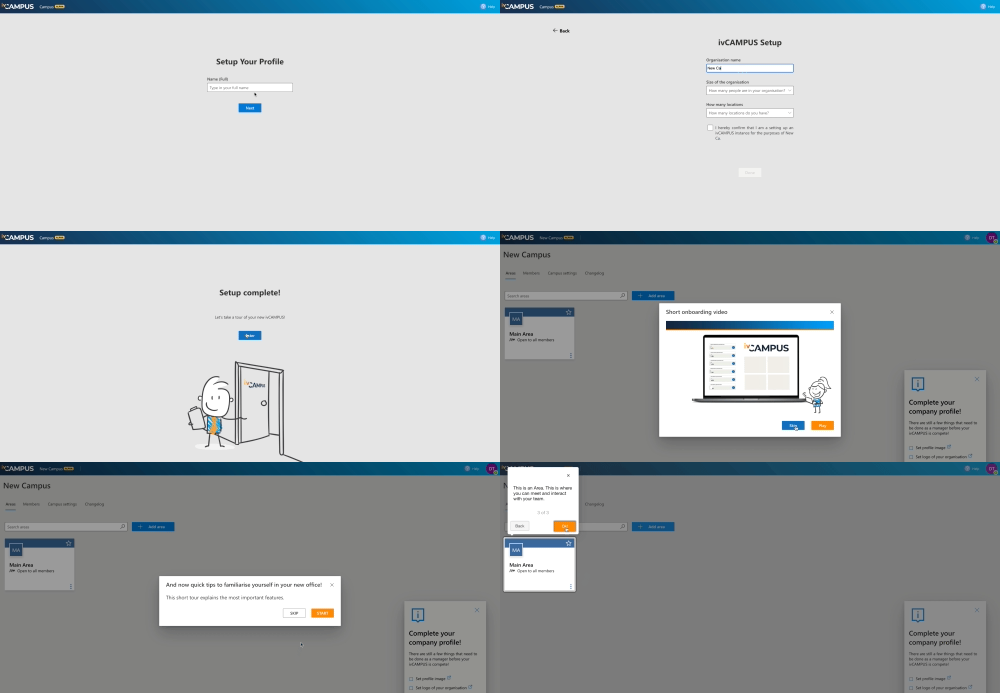
There wasn't an onboarding journey for users so I advocated this as the first 'feature' to be designed. We created an onboarding email path for authorizing users securely, continuing into the path for an ivCAMPUS setup, coaching onboarding to explain how it works, and a welcome video that I contributed narration to for the English version.

Settings and invites

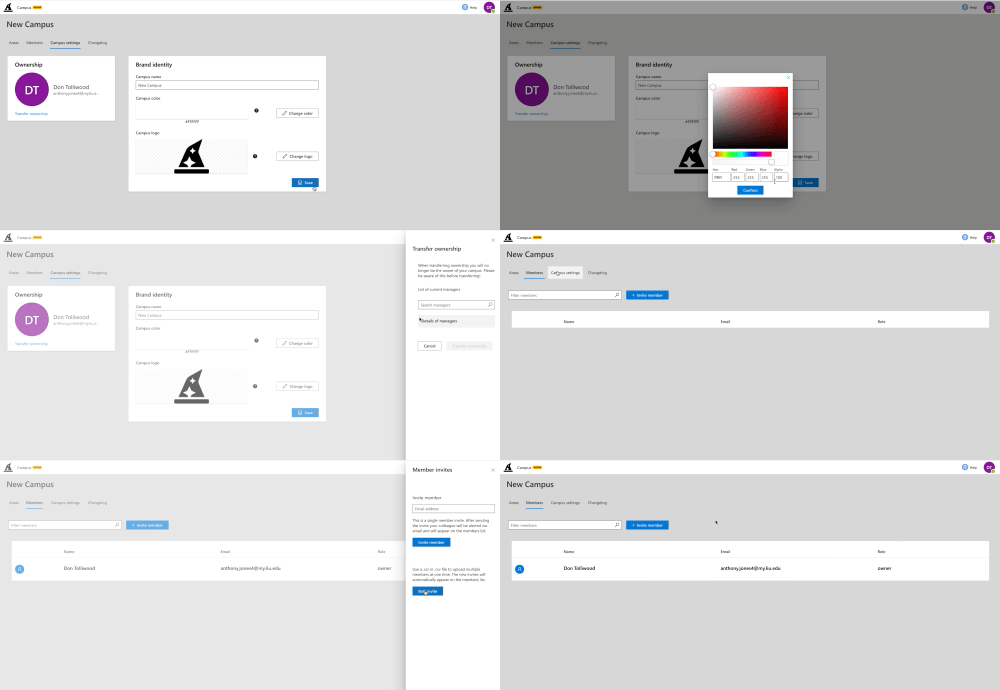
The settings needed an overhaul and I designed a simple card layout to allow users to change logo, color, and transfer ownership. Apart of this feature was also changing the way users were invited to campus, with a simple panel design to invite individuals or bulk emails.

Speaker stats

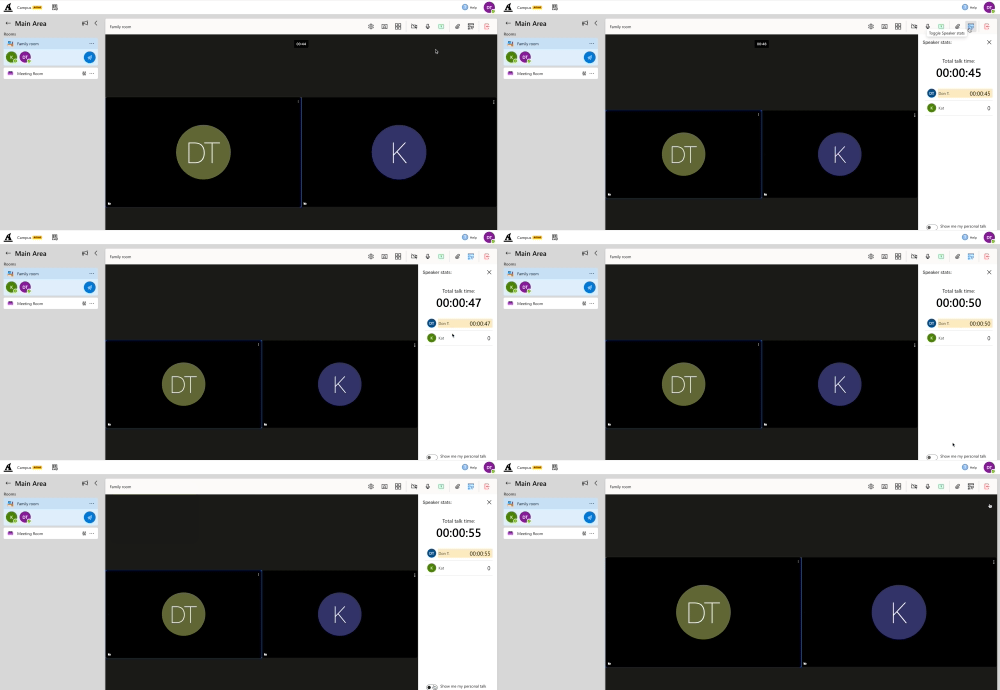
The speaker stats design was one of the features the stakeholders really wanted to be apart of the user experience on ivCAMPUS. After getting the code right (thanks devs :) we were able to track individual, and group talk time.
Project 3

Responsive Product

My Role
Ux|Ui Designer
Skills
Responsive design
‍Wire
Prototyping
Testing
Tools
Scope
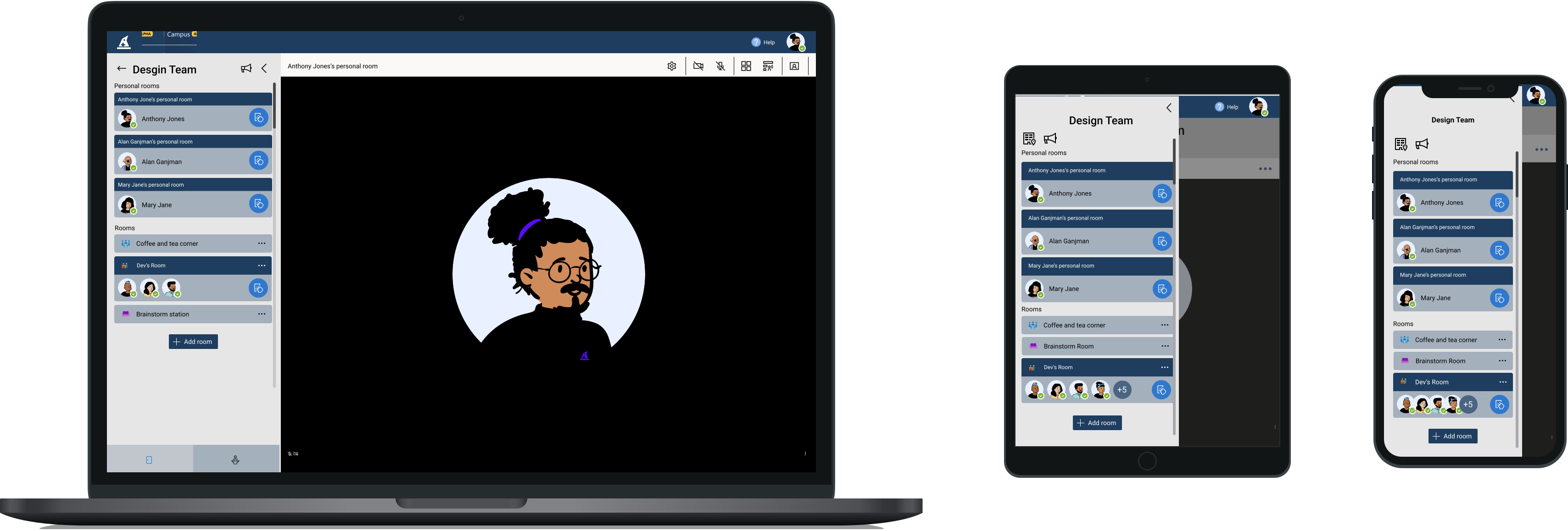
Though most companies take a mobile first approach, ivicos was a bit behind on the responsive and mobile aspect of the tool. But no worries, the dev team and I quickly made it our mission to make sure the product can be utilised on various platforms and scree sizes before big launch of the tool.
Approach
1. Use Figma to design the tool in different breakpoints and screen sizes.
2. Discuss with product manager on what features could translate best to different devices.
3. Coordinate with developers to make sure the designs could translate to the different device sizes needed.

Result

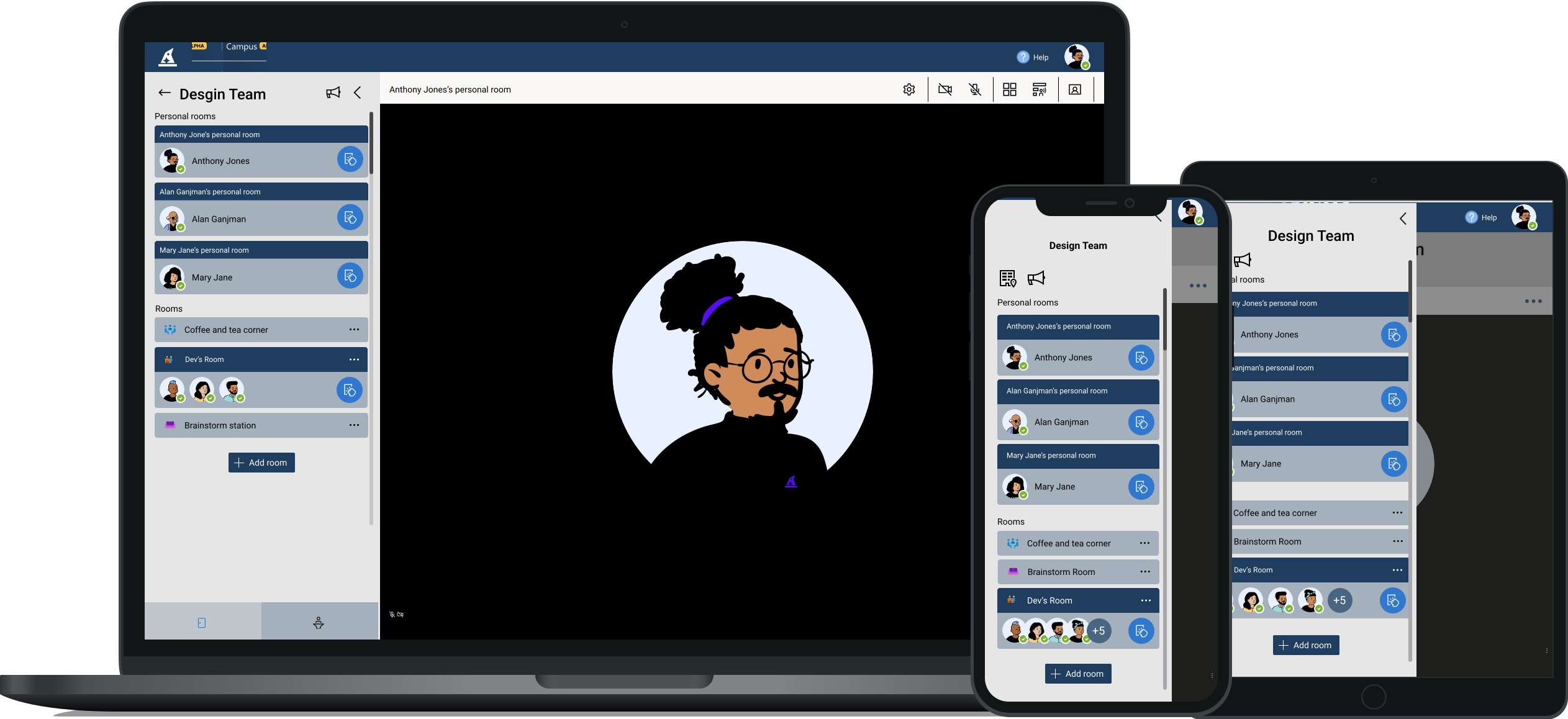
What we were able to build is a digital product that can efficiently function on a multitude of mobile and desktop devices. Below are images of the office view of ivCAMPUS. Please feel free to sign up and use the platform for free to see how ivCAMPUS works on your devices.

Takeaways and learnings for both projects

When working on Project 2, it was very important to have constant communication with the devs because the stakeholder requirements were constantly changing. I learned to value the effort estimations we would do before beginning a sprint. If there was wone thing I could change, I would have wanted the stakeholders to allow more budget for testing.
On Project 3 I relied on my tools to deliver the proper breakpoints and assets to the devs in a short amount of time. I learned the value of mobile first (😂), and now know the best process to deconstruct a desktop ready application for mobile.